Microsoft Office 365 Gets Built-in Ransomware Protection and Enhanced Security Features
In fact, most strains of ransomware target Microsoft productivity apps such as Word, Excel and encrypt sensitive data to hold the company hostage until the ransom is paid.
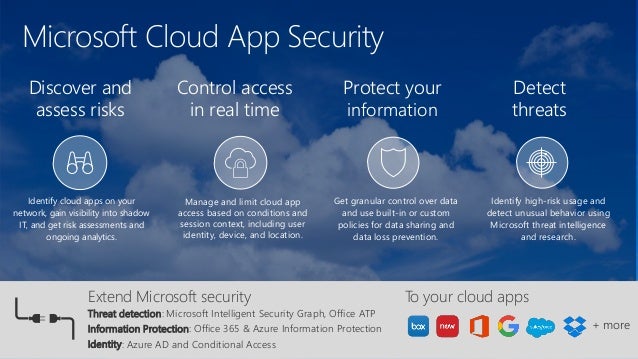
Now, to combat such cyber attacks, Microsoft has announced some new security features for Office 365 that can help users mitigate the damage done by ransomware and other malware infections.
The new features were initially introduced for OneDrive for Business, but that the company is now rolling them out to anyone who has signed up for an Office 365 Home or Personal subscription, Microsoft Office blogsays.
Here below I have briefed the list of new features:
Advanced link checking and advanced attachment scanning are already available in MS Outlook that protects you from previously unseen viruses and phishing scams in real-time. However, advanced link checking in Word, Excel, and PowerPoint will roll out in the second half of 2018.
Ransomware has been around for a few years, but it has become an albatross around everyone's neck, targeting big businesses, hospitals, financial institutions and individuals worldwide and extorting millions of dollars.
Last year, we saw some major ransomware outbreaks, including WannaCry and NotPetya, which wreaked havoc across the world, hitting hundreds of thousands of computers and business networks worldwide.
From small to mid-range businesses, Microsoft Office 365 remains the most widely used and fastest-growing work office suite, so it's no surprise that it has become a primary target for viruses, ransomware, and phishing scams.
Last year, we saw some major ransomware outbreaks, including WannaCry and NotPetya, which wreaked havoc across the world, hitting hundreds of thousands of computers and business networks worldwide.
From small to mid-range businesses, Microsoft Office 365 remains the most widely used and fastest-growing work office suite, so it's no surprise that it has become a primary target for viruses, ransomware, and phishing scams.
In fact, most strains of ransomware target Microsoft productivity apps such as Word, Excel and encrypt sensitive data to hold the company hostage until the ransom is paid.
Now, to combat such cyber attacks, Microsoft has announced some new security features for Office 365 that can help users mitigate the damage done by ransomware and other malware infections.
The new features were initially introduced for OneDrive for Business, but that the company is now rolling them out to anyone who has signed up for an Office 365 Home or Personal subscription, Microsoft Office blogsays.
Here below I have briefed the list of new features:
File Recovery and Anti-Ransomware
- Files Restore—Microsoft Office 365 now allows users to restore entire OneDrive to a previous point in time within the last 30 days. This feature can be used to recover files from an accidental mass delete, file corruption, ransomware, or any catastrophic event.
- Ransomware detection & recovery—Office 365 had also introduced a new security feature that detects ransomware attacks and alerts you through an email, mobile, or desktop notification while helping you restore your OneDrive to a point before the malware compromised files.
Security and Privacy Features

- Password protected sharing links—This feature allows you to set a password for your shared file and folders, preventing unauthorized access even if your recipient accidentally forwards protected documents to others.
- Email encryption—This feature allows users to send/receive end-to-end encrypted emails in Outlook over a secure connection, providing additional protection to minimize the threat of being intercepted.
- Prevent forwarding—Microsoft now enables you to restrict your email recipients from forwarding or copying emails you send to them from Outlook. Besides this, any MS Office document attached to your emails will remain encrypted even after downloading, so if the recipient shares your attachment with others, they will not be able to open it.
Advanced Protection from Viruses and Cybercrime
- Advanced link checking in Word, Excel, and PowerPoint—Office 365 also offers built-in real-time web protection, which monitors every link you click in Word, Excel, and PowerPoint and notifies you if it is suspicious.
Advanced link checking and advanced attachment scanning are already available in MS Outlook that protects you from previously unseen viruses and phishing scams in real-time. However, advanced link checking in Word, Excel, and PowerPoint will roll out in the second half of 2018.